Helios Design

Skip navigation

  • home

  • about

  • Web Services

  • portfolio

  • knowledge

  • blog

  • contact us

Browse

  • Overview
  • Getting started
  • Using the editor
    • What do all the buttons mean
    • An overview of formatting buttons
    • Pasting text from another source
    • Applying heading styles
    • Inserting bullets
    • Inserting images
    • Creating links
    • Inserting PDF and other downloads
  • Finishing up
  • Advanced page editing
  • Advanced file management

Applying heading styles

1. To apply heading styles, highlight the headings within the text and choose the appropriate heading style from the Format drop down at the top:
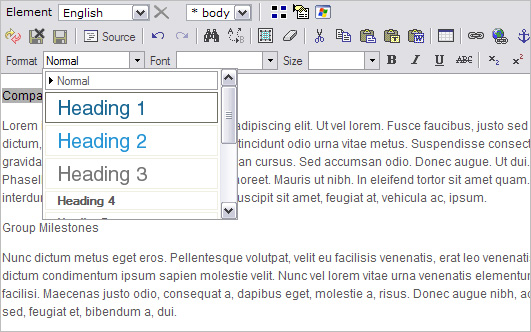
Format drop down to apply heading styles
 

Please note
You cannot mix heading styles in the same paragraph. For this reason, it is important to separate text content into clear paragraph breaks before applying heading styles.


2. When you highlight the heading and apply the heading style without a clear paragraph break (no empty line separating the text), the entire paragraph changes into the new heading style:
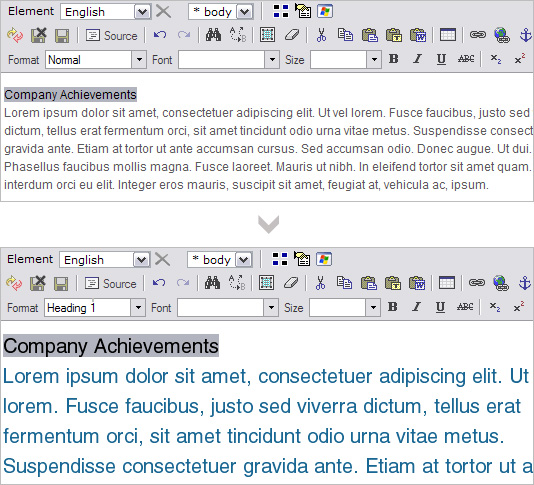
 incorrect-heading-styles

3. To avoid this, apply the Normal style again, move the content up one line and press Enter to create a clear paragraph break between the two sets of text:
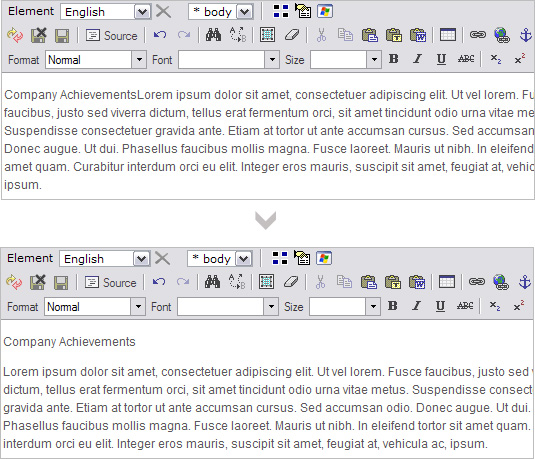
Using enter to apply clear paragraph breaks


4. You can now highlight the heading text and apply Heading 1 without affecting the paragraph below:
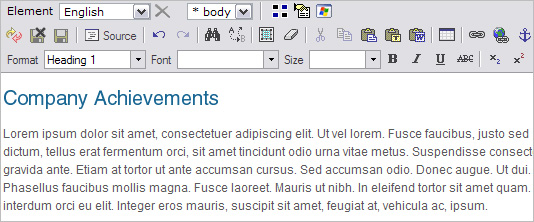
Applying heading one correctly


5. Do the same for subsidiary heading styles:
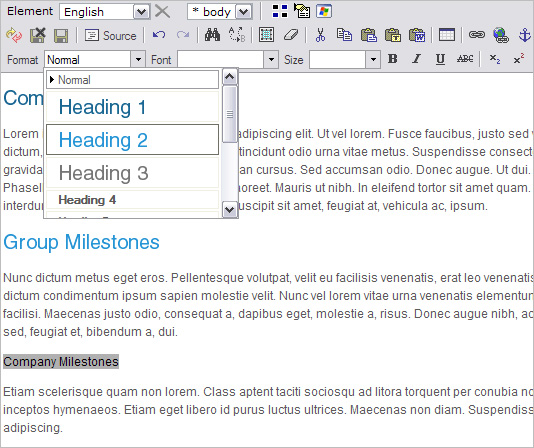
Applying heading two correctly


6. Separating text into clear paragraph breaks keeps the website code clean.

Hint
If you want to move text into the very next line (eg. for a bullet list) press SHIFT+Enter. This moves content into the subsequent line but is recognized as part of the same paragraph. All applied heading styles will affect the entire paragraph:

Moving text into the next line 

next Next page: Inserting bullets


Next page
Creating bullets and numbered lists
Previous page
Pasting text from another source
Helios Design Twitter Helios Design blog RSS
© 2012 Copyright Helios Design. All Rights Reserved. Terms of Use | Privacy Policy | Sitemap